

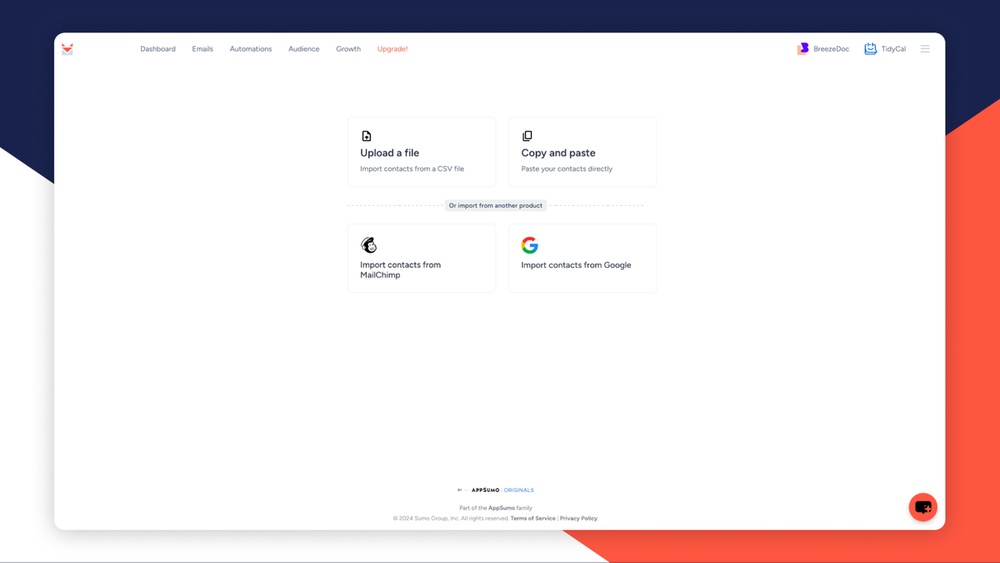
If you want to boost your email marketing results, mastering list segmentation in SendFox is a game-changer. You don’t have to send the same generic message to everyone on your list anymore.
Instead, you can create smaller, targeted groups based on what matters most—like their interests, location, or how they interact with your emails. This makes your messages more relevant and increases the chances your readers will open, click, and take action. You’ll learn exactly how to manage list segmentation in SendFox step-by-step. You’ll discover how easy it is to organize your contacts and send personalized campaigns that grab attention and deliver results. Ready to take your email marketing to the next level? Let’s dive in and unlock the full power of SendFox’s segmentation features. If you’re not using SendFox yet, check it out here: SendFox – Automate email marketing on a budget. It’s perfect for growing your list and sending smarter emails without breaking the bank.
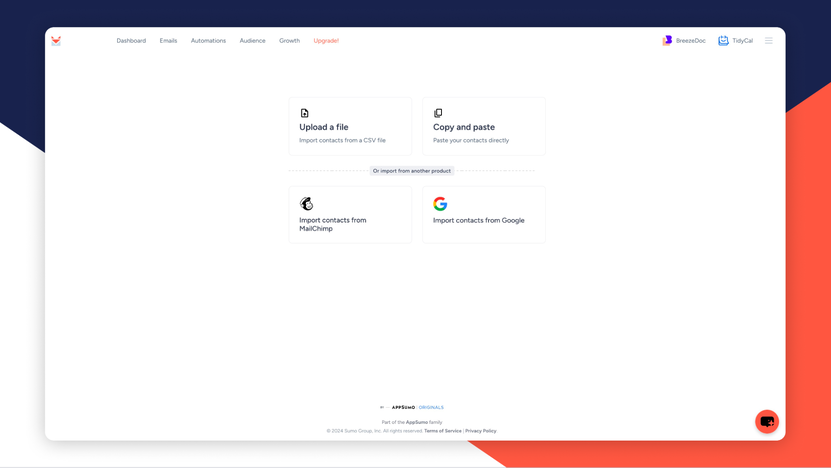
Credit: appsumo.com
Introduction To List Segmentation In Sendfox
List segmentation is key for effective email marketing in Sendfox. It means dividing your large email list into smaller groups based on specific traits or behaviors. This approach helps send the right message to the right people. It improves engagement, opens, and conversions. Understanding how to manage list segmentation in Sendfox ensures your campaigns reach the most interested subscribers.
Understanding Email List Segmentation: Definition And Importance
Email list segmentation splits a broad list into smaller sections. Each section shares common characteristics like:
- Interests
- Location
- Purchase history
- Engagement level
This practice boosts email relevance. It helps avoid sending generic emails to all subscribers. Targeted emails increase:
- Open rates
- Click-through rates
- Customer satisfaction
Segmentation also reduces unsubscribes and spam complaints. It allows marketers to personalize content, making emails feel more meaningful.
Why Segment Your Email List In Sendfox?
Sendfox users benefit from segmentation by:
- Improving message targeting: Send relevant emails based on subscriber data.
- Saving time: Automate sending to specific groups without manual sorting.
- Boosting engagement: Reach people with offers and content they care about.
- Increasing sales: Tailor promotions for segments more likely to buy.
Segmentation in Sendfox lets you create smaller groups within your list using simple filters. This makes campaigns smarter and more efficient.
Overview Of Sendfox As An Email Marketing Tool
Sendfox is a budget-friendly email marketing platform designed for creators and small businesses. It focuses on simplicity and automation. Key features include:
| Feature | Description |
|---|---|
| List Building | Easy import and management of contacts |
| Segmentation | Create targeted groups with filters |
| Automation | Set up email sequences and campaigns |
| Analytics | Track opens, clicks, and engagement |
Sendfox is ideal for users who want straightforward tools without complex features. It helps send emails that connect with different audience segments easily.
Key Features Of List Segmentation In Sendfox
Sendfox offers powerful tools to organize your email contacts into meaningful groups. List segmentation helps send targeted emails that increase engagement and reduce unsubscribes. Its features allow precise control over how you divide your audience based on different data points.
These key features simplify the process of creating, managing, and automating segments. They also enable bulk actions, saving time and effort in your email marketing campaigns.
Creating And Managing Segments: Step-by-step Guide
Start by navigating to the Segments section in your Sendfox dashboard. Follow these steps:
- Click New Segment to begin.
- Choose the criteria that define your segment, such as tags or subscription status.
- Name your segment clearly for easy identification.
- Save the segment to apply filters and group contacts accordingly.
You can edit or delete segments anytime to keep your lists updated. Managing segments regularly ensures your emails reach the right audience.
Using Behavioral Data For Targeted Segmentation
Sendfox tracks how subscribers interact with your emails. Use this behavioral data to create segments based on:
- Open rates
- Click-through activity
- Previous purchases or downloads
Segmenting by behavior lets you tailor messages to active or inactive users. This increases the chance of conversions and keeps your list healthy.
Leveraging Demographic And Geographic Criteria In Segments
Sendfox allows segmentation by demographic and geographic data for personalized campaigns. Common criteria include:
| Criteria | Use Case |
|---|---|
| Age | Send age-appropriate offers |
| Gender | Target gender-specific products |
| Location | Promote local events or services |
These filters enhance relevance and improve engagement rates.
Automating Segmentation With Sendfox’s Workflow Tools
Sendfox supports automation to update segments automatically. Use workflows to:
- Add contacts to segments based on actions
- Remove contacts after certain triggers
- Combine multiple conditions for complex rules
Automation saves time and ensures segments stay current without manual updates.
Bulk Actions For Efficient Segment Management
Sendfox offers bulk actions to manage many contacts at once. These include:
- Adding or removing contacts from segments
- Deleting multiple contacts
- Exporting segmented lists
Using bulk actions speeds up list maintenance and helps keep your database clean.
How List Segmentation Benefits Your Email Marketing
List segmentation in SendFox allows you to divide your email contacts into smaller, targeted groups. This method improves the way you communicate with subscribers. It makes your email marketing more effective by sending relevant messages to each group. Segmentation helps deliver personalized content, which your audience prefers. It also drives better results from your campaigns.
Increasing Engagement Through Personalized Content
Segmenting your list lets you send personalized emails. Personalized content matches the interests and needs of each group. This makes subscribers more likely to open and read your emails.
- Use data like location, behavior, or preferences to create segments.
- Send tailored offers or messages that feel relevant.
- Engage readers with content that speaks directly to them.
Higher engagement means more clicks, shares, and responses. SendFox makes it easy to create and manage these segments.
Boosting Conversion Rates By Targeting Specific Audiences
Targeted emails help you reach people ready to take action. Segmentation allows you to focus on specific groups that are more likely to convert.
- Identify segments based on purchase history or interests.
- Send offers that appeal to each segment’s needs.
- Track performance and optimize your campaigns.
This precise targeting leads to better conversion rates. SendFox’s tools support this by making list segmentation simple and effective.
Enhancing Customer Relationships And Loyalty
Sending relevant emails builds trust with your subscribers. Segmentation helps you maintain strong connections by addressing each group properly.
- Send special offers to loyal customers.
- Welcome new subscribers with tailored messages.
- Re-engage inactive users with personalized content.
This approach improves customer loyalty and keeps your audience interested in your brand.
Improving Email Deliverability And Sender Reputation
Sending emails only to interested recipients reduces spam complaints. Segmentation improves deliverability by targeting engaged users.
| Benefit | Impact on Email Marketing |
|---|---|
| Reduced Spam Complaints | Fewer unsubscribes and better inbox placement |
| Higher Engagement Rates | Signals to email providers that you send quality content |
| Improved Sender Reputation | Increases chances your emails reach the inbox |
SendFox helps manage segments to keep your email list healthy and active.

Credit: creatordealhub.com
Pricing And Affordability Of Sendfox Segmentation Features
Sendfox offers simple pricing tailored for email marketing and list segmentation. Its plans provide essential tools to create and manage segmented lists without heavy costs. This makes Sendfox suitable for small businesses and solopreneurs who need effective segmentation without complex pricing.
Overview Of Sendfox Pricing Plans
Sendfox has a straightforward pricing structure with a focus on affordability. The main plans include:
| Plan | Price | Subscribers Limit | Segmentation Features |
|---|---|---|---|
| Free | $0 | Up to 1,000 | Basic segmentation and list management |
| Pro | $49/month | Unlimited | Advanced segmentation, automation, and analytics |
The free plan allows new users to try segmentation tools with a subscriber cap. The Pro plan unlocks full segmentation features and removes subscriber limits.
Value For Money: Comparing Features Across Plans
- Free Plan: Great for beginners managing small lists with simple segments.
- Pro Plan: Best for growing businesses needing detailed segments and automation.
The Pro plan includes:
- Unlimited subscribers and emails
- More precise segmentation options
- Bulk actions for faster list management
- Access to detailed analytics for better targeting
These features justify the monthly cost for users with expanding email needs.
Cost-effective Segmentation For Small Businesses And Solopreneurs
Sendfox suits small business owners and solopreneurs with limited budgets. Its pricing allows users to:
- Start with free segmentation tools
- Upgrade only when lists grow
- Manage segmented campaigns affordably
Simple pricing and clear feature sets mean no surprise fees. Users can focus on building targeted email lists without overspending.
Pros And Cons Of List Segmentation In Sendfox
List segmentation in Sendfox helps organize contacts into focused groups. It targets specific audiences with tailored emails. This practice improves engagement and campaign results. Yet, it comes with some challenges and limits. Understanding these pros and cons can guide better use of Sendfox for email marketing.
Advantages Based On Real-world User Experiences
- Improved email relevance: Users report higher open and click rates due to targeted content.
- Easy segmentation setup: Sendfox’s simple interface allows quick creation of segments using clear conditions.
- Better list management: Segments help keep contacts organized and reduce clutter in large lists.
- Cost efficiency: Sending emails to smaller segments reduces overall sending costs on Sendfox.
- Automation compatibility: Segments integrate well with Sendfox automation features, saving time on manual targeting.
Limitations And Challenges To Consider
Some users find Sendfox’s segmentation options basic compared to advanced email tools. The platform supports limited filtering rules, which can restrict complex targeting.
Segment updates are not always immediate, causing delays in new subscribers appearing in the right group.
There is no native feature for dynamic segments that auto-update based on real-time subscriber behavior.
Managing many segments can become confusing without clear naming conventions and organization.
| Challenge | Impact | Details |
|---|---|---|
| Limited filtering options | Reduced targeting precision | Users can only segment by basic criteria like tags or subscription date. |
| Delayed segment updates | Possible sending errors | New subscribers may not receive the intended segment emails immediately. |
| No dynamic segments | Manual upkeep required | Segments must be updated manually to reflect changes in subscriber data. |
Common User Feedback And How To Overcome Issues
Users often request more advanced segmentation tools and faster updates. To handle these limits, follow these tips:
- Use tags smartly: Tag contacts with clear, consistent labels to create effective segments.
- Schedule regular segment reviews: Manually update segments weekly to keep lists accurate.
- Combine segments with automation: Use Sendfox automations to trigger emails based on segment membership.
- Keep segment names simple: Use clear, descriptive names for easy management.
- Test segment campaigns: Send test emails to segments to catch errors before full launches.
Following these steps reduces errors and maximizes the power of Sendfox segmentation.
Best Practices And Recommendations For Using Sendfox Segmentation
Sendfox segmentation helps target your email list more precisely. It divides your contacts into smaller groups based on shared traits. This improves engagement and boosts email performance. Applying smart segmentation strategies makes your campaigns more relevant and effective. Here are key best practices to manage segmentation in Sendfox.
Ideal Use Cases And Audience Types For Segmentation
Segmentation works best with clear goals and audience understanding. Consider these common use cases:
- New subscribers: Send welcome emails or onboarding sequences.
- Active customers: Target upsells or loyalty rewards.
- Inactive contacts: Create re-engagement campaigns.
- Location-based groups: Customize offers by region.
- Interest or behavior: Segment by clicked links or past purchases.
Audience types that benefit most include beginners, loyal customers, and dormant contacts. Tailoring messages improves response rates and satisfaction.
Tips For Creating Effective Segments That Drive Results
- Define clear criteria: Use simple rules like tag presence or signup date.
- Keep segments focused: Avoid overly broad or tiny groups.
- Use behavioral data: Track opens, clicks, and purchases for dynamic segments.
- Test and refine: Monitor campaign results and adjust segments regularly.
- Combine filters: Layer conditions for precise targeting (e.g., location + interest).
Effective segments lead to better engagement, fewer unsubscribes, and higher conversions.
How To Integrate Segmentation With Your Overall Email Strategy
Segmentation should support your main email goals. Follow these steps:
- Align with campaign objectives: Match segments to specific email types like newsletters or promos.
- Plan content accordingly: Customize messages for each segment’s needs and preferences.
- Schedule campaigns wisely: Avoid overwhelming contacts by spacing emails.
- Use automation: Sendfox automation helps deliver segment-based emails on time.
- Analyze performance: Use Sendfox analytics to track segment engagement and improve strategy.
Integrating segmentation strengthens your email marketing and builds stronger relationships.
Conclusion: Mastering List Segmentation In Sendfox
Effective list segmentation in Sendfox improves email marketing performance. It targets the right audience with relevant messages. Segmentation helps increase engagement and build stronger connections with subscribers.
Understanding how to manage segments lets you send personalized content easily. This section summarizes key points and guides you on optimizing campaigns using Sendfox.
Recap Of Key Benefits And Features
- Precise Targeting: Create smaller groups based on behavior, interests, or demographics.
- Improved Engagement: Send relevant emails that match subscriber preferences.
- Automation Friendly: Use segments to trigger personalized automated campaigns.
- Easy Management: Bulk actions and clear segment organization simplify workflow.
- Flexible Segments: Update segments dynamically with conditions for real-time accuracy.
Next Steps To Optimize Your Email Campaigns With Segmentation
- Define Clear Goals: Decide what you want to achieve with each segment.
- Analyze Subscriber Data: Use Sendfox’s tools to gather insights on your audience.
- Create Relevant Segments: Group contacts by interests, purchase history, or engagement levels.
- Design Tailored Content: Match email messages to each segment’s unique needs.
- Test and Refine: Monitor campaign results and adjust segments for better performance.
Resources For Further Learning And Support
| Resource | Description | Access |
|---|---|---|
| Sendfox FAQ | Detailed answers on list segmentation and automation setup. | Visit FAQ |
| Sendfox YouTube Tutorials | Step-by-step videos on managing contacts and segments. | Watch Tutorials |
| AppSumo Sendfox Page | Official product details and updates on Sendfox features. | Explore Sendfox |

Credit: www.udemy.com
Frequently Asked Questions
What Is The Difference Between A Segment And A List?
A list contains all or part of your contacts, while a segment is a smaller group filtered by specific criteria. Lists are broader; segments target based on behavior, demographics, or interests for personalized marketing.
What Is Email List Segmentation?
Email list segmentation divides a large subscriber list into smaller groups based on shared traits. It enables sending personalized, relevant emails, boosting engagement, conversions, and customer loyalty. Common criteria include demographics, behavior, location, interests, and customer journey stages.
What Are Some Of The Criteria Used For Mailing List Segmentation?
Criteria for mailing list segmentation include demographics, behavior, past purchases, geographic location, psychographics, and customer lifecycle stages.
Which Of The Following Is An Example Of An Email Segmentation Strategy?
An example of an email segmentation strategy is dividing subscribers by behavior, such as purchase history or email engagement.
Conclusion
Managing list segmentation in SendFox helps you target the right audience. Smaller groups get emails that match their interests. This improves engagement and makes your campaigns more effective. Use simple rules to create segments based on behavior or location. Regularly update your segments to keep contacts relevant. SendFox offers easy tools for this process. Start organizing your email lists today with SendFox by visiting https://appsumo.8odi.net/kOeAed. It saves time and improves your email marketing results.
