

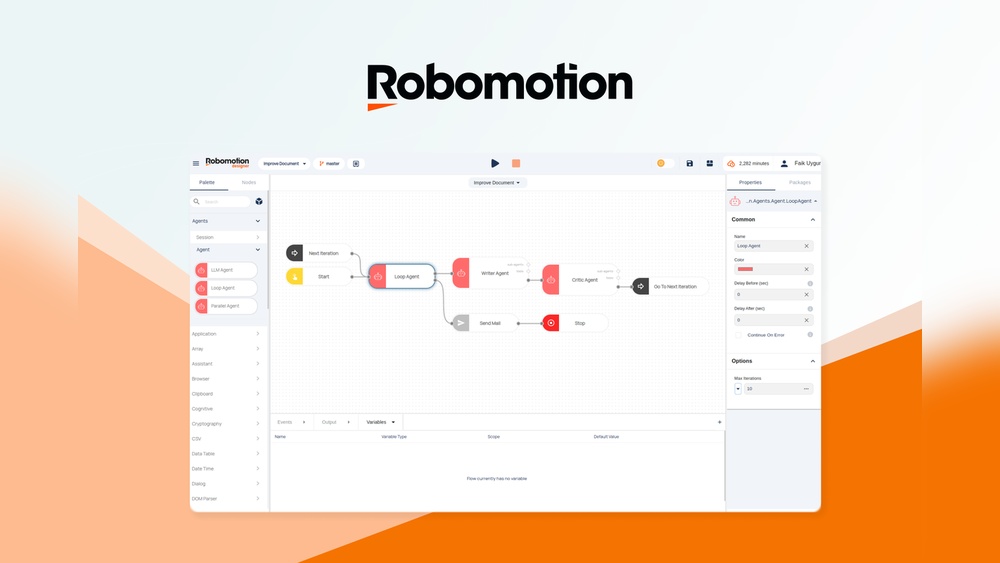
Are you struggling to decide between cloud-based and local automation for your repetitive tasks? Robomotion RPA offers both options, but which one truly fits your needs?
Whether you want the flexibility of the cloud or the control of a local setup, understanding the differences can save you time, money, and headaches. In this Robomotion RPA Cloud Vs Local Review, you’ll discover how each deployment works, the pros and cons, and which setup can boost your productivity best. Ready to find the perfect automation solution for your workflow? Let’s dive in and clear up the confusion so you can make the smartest choice for your business. Start automating smarter today with Robomotion RPA — check it out here: Robomotion RPA on AppSumo.
Introduction To Robomotion Rpa: Cloud Vs Local
Robomotion RPA helps automate repetitive and data-heavy tasks. It offers two main deployment options: cloud-based and local installations. Understanding these options is key to choosing the right setup.
This section explains what Robomotion RPA is, defines cloud and local deployments, and highlights why comparing them boosts efficiency.
Overview Of Robomotion Rpa And Its Purpose
Robomotion RPA is a low-code automation platform. It allows users to build automations with minimal coding. The platform works on both web and desktop environments.
Its main goal is to replace manual, repetitive tasks with automated workflows. This saves time and reduces errors. Users can automate tasks across different apps and systems.
Defining Cloud-based And Local Rpa Deployments
Cloud-based Robomotion RPA runs on remote servers managed by the provider. Users access it through a web browser. Tasks execute in the cloud, requiring internet access.
Local RPA deployment means installing Robomotion robots directly on your own machines. All processing happens on-site, keeping data within your network.
| Feature | Cloud-based RPA | Local RPA |
|---|---|---|
| Installation | No local install, web access | Installed on user machines |
| Data handling | Data processed in cloud | Data stays inside network |
| Internet requirement | Required | Not required |
| Maintenance | Managed by provider | User-managed |
Why Comparing Cloud And Local Robomotion Matters For Efficiency
Choosing between cloud and local Robomotion affects automation speed, security, and cost.
- Cloud RPA offers easy setup and updates but depends on internet quality.
- Local RPA ensures data privacy and works offline but needs more IT management.
Efficiency depends on business needs, task types, and security policies. Assessing both helps select the best fit.
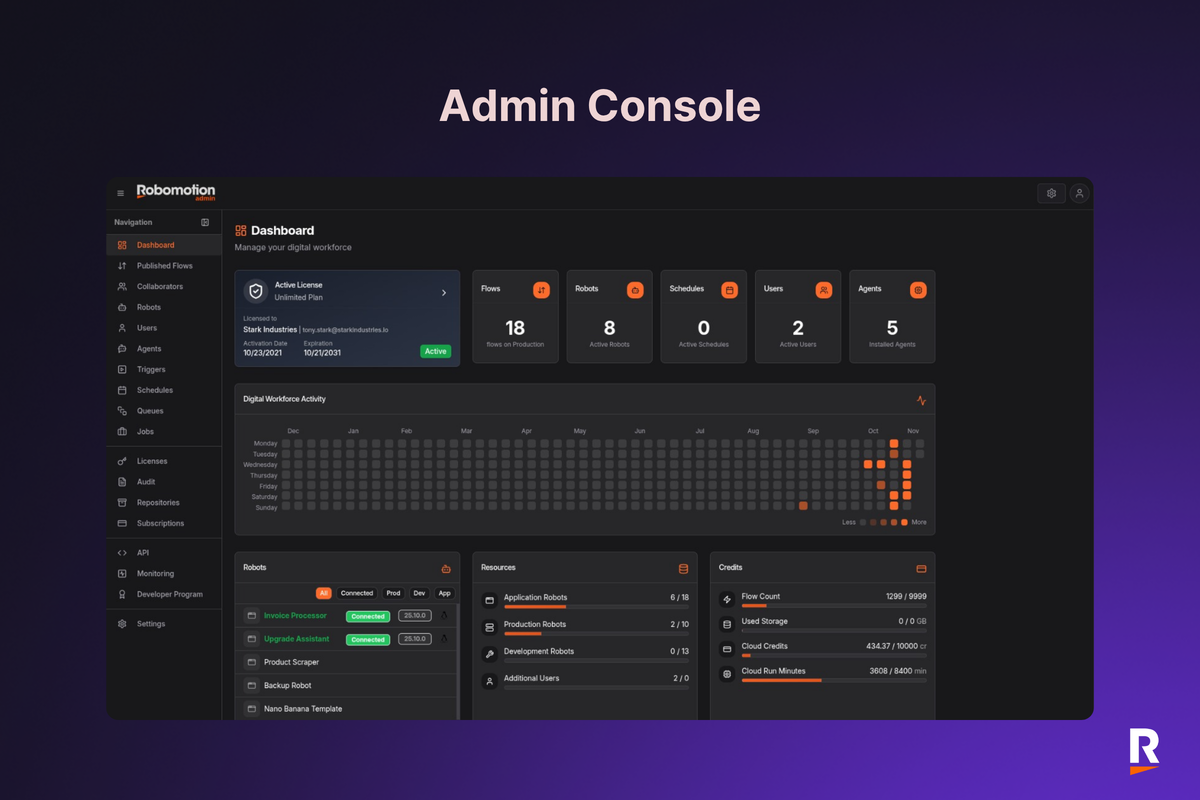
Credit: appsumo.com
Key Features Of Robomotion Rpa Cloud
Robomotion RPA Cloud offers a powerful set of features for automating repetitive tasks. Its design focuses on ease of use, flexibility, and scalability. The cloud platform supports businesses that need to run multiple automations efficiently. Below, explore the main features that make Robomotion RPA Cloud a strong choice for automation.
Web-based Accessibility And Scalability Benefits
The Robomotion RPA Cloud runs fully in the web browser. This means users can access it from anywhere without installing software. It is ideal for teams working remotely or across multiple locations.
- Access from any device with internet connection
- No local installation or complex setup required
- Easy to scale by adding more users or automation tasks
- Centralized control for managing automations and robots
This web-based model helps organizations save on IT costs and support efforts. It also adapts quickly to growing automation needs.
Concurrent Automation Execution At Scale
Robomotion RPA Cloud can run many automation processes at the same time. This concurrency boosts overall efficiency and reduces waiting times.
| Feature | Benefit |
|---|---|
| Multiple Robots | Run several automations in parallel |
| Load Balancing | Distributes tasks evenly for better performance |
| Queue Management | Organizes automation jobs to avoid conflicts |
These capabilities ensure that large volumes of tasks complete faster. Businesses benefit from improved productivity and reduced manual workload.
Cloud-native Architecture And Its Impact On Flexibility
Robomotion RPA Cloud is built with a cloud-native architecture. This design uses the strengths of cloud computing fully.
- Automatic updates keep the platform secure and modern
- Elastic resources adjust to demand without delays
- High availability ensures minimal downtime
- Easy integration with other cloud services
This architecture gives users the freedom to deploy automations quickly. It also reduces the need for heavy IT infrastructure.
Integration Capabilities With Chatbots And Web Services
Robomotion RPA Cloud connects smoothly with chatbots and web services. This extends automation beyond simple tasks.
- API integration to link with various web applications
- Supports chatbot workflows to automate customer interactions
- Data exchange between systems for seamless processes
- Custom connectors to fit unique business needs
These integration options make Robomotion RPA Cloud a versatile tool. It fits well in complex business environments requiring connected automation.
Key Features Of Robomotion Rpa Local Deployment
Robomotion RPA Local Deployment offers a powerful way to automate tasks directly on your own machines. It allows users to keep full control over their data and automation processes. The local setup is designed to boost performance and ensure reliability. Below are the main features that define Robomotion’s local deployment.
On-premise Execution And Data Security Advantages
Robomotion installs automation “robots” on your own devices. This means your data never leaves your network. Sensitive information stays within your environment, reducing security risks.
- Full control over data and automation workflows
- Compliance with internal security policies
- Reduced risk of data breaches or leaks
- Audit and monitoring capabilities remain local
Performance Benefits Of Running Automations Locally
Running automations on-premise ensures faster execution compared to cloud-based setups. Local resources handle tasks directly without relying on internet speed or external servers.
- Lower latency and quicker response times
- Greater control over resource allocation
- Reduced dependency on external network conditions
- Improved stability for complex or heavy workflows
Low-code Design Environment For Desktop And Web Tasks
Robomotion provides a low-code platform that helps users build automations easily. Both desktop and web tasks can be automated with minimal coding skills.
- Drag-and-drop interface for quick design
- Pre-built actions and connectors for common tasks
- Support for customizing workflows with simple scripting
- Ideal for users who want fast automation without deep programming
Network Independence And Offline Automation Reliability
Local deployment works independently of network status. Automations run smoothly even without internet access.
- Reliable task execution during network outages
- Eliminates delays caused by poor connectivity
- Ensures business continuity with offline automation
- Ideal for environments with strict network policies
Pricing And Affordability Comparison
Robomotion RPA offers two main deployment options: Cloud-based and Local installation. Each has a distinct pricing model that affects overall affordability. Understanding these differences helps businesses choose the best fit for their budget and needs.
Cost Structure Of Robomotion Cloud Usage Hours
The Robomotion Cloud pricing is based mainly on usage hours. Users pay for the time their automation robots run in the cloud environment.
- Hourly billing: Charges apply only when robots execute tasks.
- Scalable costs: Expenses rise with more automation hours.
- No hardware investment: Cloud hosting and infrastructure are included in the price.
This pay-as-you-go model suits businesses that prefer flexible spending without upfront fees.
Local Deployment Licensing And Maintenance Expenses
Local deployment requires buying licenses and managing infrastructure. Expenses include:
| Expense Type | Description | Cost Implication |
|---|---|---|
| Licensing Fee | One-time or annual license to use Robomotion locally | Upfront payment, may be costly for small businesses |
| Maintenance | Updates, bug fixes, and support | Ongoing cost, varies by support plan |
| Infrastructure | Servers and hardware to run the software | Capital expenditure plus operational costs |
Local setup suits businesses needing full control and data privacy.
Evaluating Total Cost Of Ownership For Both Options
Total cost includes direct and indirect expenses over time.
- Cloud option: Monthly or hourly fees, no hardware costs.
- Local option: License fees, hardware, maintenance, and IT staff.
Cloud is cost-effective for short-term or variable automation needs.
Local deployment benefits long-term users with steady automation volume.
Which Pricing Model Suits Different Business Sizes And Budgets
Small businesses and startups benefit from Robomotion Cloud due to:
- No heavy initial investment
- Pay only for what they use
- Easy scalability
Medium to large enterprises might prefer local deployment because of:
- Greater control over data and processes
- Potential cost savings over long-term use
- Ability to integrate with existing IT systems
Choosing depends on automation volume, budget size, and data policies.
Pros And Cons Based On Real-world Usage
Users of Robomotion RPA often compare the cloud and local versions. Each option has clear benefits and some drawbacks. Real-world experiences highlight how these versions perform in different environments. Understanding these pros and cons helps choose the best fit for specific automation needs.
Advantages And Drawbacks Of Robomotion Cloud From User Reviews
The Robomotion Cloud offers flexible access and easy setup. Users can start automating quickly without worrying about hardware or installations.
- Advantages:
- Access automation from anywhere via web interface
- Automatic updates and maintenance handled by provider
- Scales easily for growing task demands
- Supports collaboration across teams
- Drawbacks:
- Running hours can be costly for heavy usage
- Dependent on stable internet connection
- Data security concerns for sensitive information
- Some users report occasional latency issues
Strengths And Limitations Of Local Robomotion Implementations
Local installations of Robomotion RPA run directly on users’ machines. This setup appeals to businesses needing full control and security.
- Strengths:
- Data stays within company network, boosting security
- No internet needed, improving reliability and speed
- Lower long-term cost for continuous usage
- Allows deeper system integrations and customizations
- Limitations:
- Requires IT support for installation and updates
- Scaling up needs additional hardware investment
- Less accessible for remote or distributed teams
- Setup time can be longer compared to cloud
Common Challenges Faced With Cloud Vs Local Automation
Users experience several challenges with both cloud and local automation setups. These issues affect daily operations and efficiency.
| Challenge | Robomotion Cloud | Robomotion Local |
|---|---|---|
| Cost | Higher running costs with usage-based pricing | Upfront hardware and maintenance expenses |
| Connectivity | Needs constant, reliable internet connection | Works offline without internet dependence |
| Security | Data transmitted over internet, raising concerns | Data stays local, reducing exposure risks |
| Maintenance | Managed by provider, minimal user intervention | User responsible for updates and troubleshooting |
User Feedback On Reliability, Speed, And Ease Of Use
Feedback on Robomotion Cloud praises ease of use but notes speed varies with connection quality. Many find it intuitive and quick to deploy.
Local users highlight strong reliability and faster task execution. The control over environment reduces unexpected downtime.
- Reliability: Local wins for stable, consistent performance
- Speed: Cloud speed depends on internet, local is faster
- Ease of Use: Cloud simpler to start, local requires setup
Both versions serve different user needs. Cloud suits teams needing quick, remote access. Local fits users prioritizing control and security.
Ideal Use Cases And User Recommendations
Choosing between Robomotion RPA Cloud and Local deployment depends on your business needs, security demands, and scale. Both options automate repetitive, data-heavy tasks but serve different environments best. Understanding when to use each helps maximize efficiency and control.
When To Choose Robomotion Cloud For Your Automation Needs
Robomotion Cloud suits businesses that need quick setup and easy access. It offers:
- Remote access from anywhere with internet
- Automatic updates and maintenance handled by Robomotion
- Scalability for growing automation demands
- Cost-effective pay-as-you-go pricing for flexible usage
Ideal for teams without dedicated IT support or smaller automation projects.
Scenarios Best Suited For Local Robomotion Deployments
Local Robomotion fits organizations needing full control over data and infrastructure. Key benefits include:
- Data stays on-premises for sensitive information
- Integration with internal systems behind firewalls
- No dependency on internet connectivity
- Customization options for complex environments
Perfect for industries with strict compliance or security rules, like finance or healthcare.
Recommendations For Small Businesses Vs Enterprises
| Business Type | Recommended Deployment | Reason |
|---|---|---|
| Small Businesses | Robomotion Cloud | Lower upfront cost, easy setup, minimal IT support |
| Enterprises | Local Deployment | High data security, compliance, and customization needs |
Selecting The Right Deployment Based On Security And Compliance
Security needs guide the choice between cloud and local:
- Cloud deployment offers standard security with encrypted data transfer and storage.
- Local deployment provides complete control over sensitive data and compliance with strict regulations.
Use local Robomotion if your business must meet industry-specific compliance like GDPR, HIPAA, or PCI-DSS.
Cloud suits businesses prioritizing accessibility and flexible scaling without extreme compliance demands.
Conclusion: Making The Ultimate Efficiency Choice
Choosing between Robomotion RPA Cloud and Local depends on your unique needs. Both offer strong automation for repetitive tasks. Focus on what fits your business in terms of cost, speed, and data safety.
Summary Of Key Differences And Benefits
| Feature | Robomotion RPA Cloud | Robomotion RPA Local |
|---|---|---|
| Deployment | Web-based, cloud-native platform | Installed directly on your machines |
| Data Security | Data sent over internet; requires strong security measures | Data stays within your network; higher control |
| Cost | Pay-as-you-use with cloud run hours; can be costly | Fixed cost for licenses and infrastructure |
| Performance | Scalable with cloud resources | Depends on local hardware capacity |
| Maintenance | Managed by provider; less IT overhead | Requires internal IT support and updates |
Final Thoughts On Balancing Cost, Performance, And Security
Cost: Cloud suits businesses needing flexible, scalable automation. Local is ideal for fixed budgets and predictable expenses.
Performance: Cloud offers easy scaling without hardware limits. Local depends on your existing machines but may reduce latency.
Security: Local deployment keeps data inside your network. Cloud demands strong encryption and trust in the provider.
Choose based on your priorities. Weigh savings against control and speed.
Future Outlook For Robomotion Rpa Cloud And Local
- Cloud solutions will grow with improved pricing and security features.
- Local RPA will stay relevant for sensitive data and compliance needs.
- Hybrid models may emerge, blending cloud flexibility with local control.
- Robomotion will likely expand low-code tools for easier automation building.
Guidance For Getting Started With Robomotion Automation
- Identify repetitive, manual tasks suitable for automation.
- Choose either Cloud or Local version based on your needs.
- Sign up or install Robomotion RPA from
https://appsumo.com/products/robomotion-rpa/. - Use low-code builder to create simple automation workflows.
- Test your automation on sample data before full deployment.
- Monitor performance and adjust bots as needed.
Start small, then expand automation step-by-step. Robomotion makes building automations easy and flexible.

Credit: nachonacho.com

Credit: appsumo.com
Frequently Asked Questions
Is Rpa Outdated?
RPA is not outdated; it continues evolving with cloud integration and AI enhancements. It remains vital for automating repetitive tasks efficiently.
What Is Cloud-based Rpa?
Cloud-based RPA automates tasks using robots hosted on remote servers via the internet. It offers scalability, flexibility, and easy access without local installation.
Which Is Better, Rpa Or Uipath?
UiPath is a leading RPA tool offering advanced features and scalability. RPA is a broader concept, not a single product. Choose UiPath for user-friendly, comprehensive automation solutions.
Is A Disadvantage Of Robotic Process Automation Rpa?
A disadvantage of RPA includes high initial costs and complexity in managing automation at scale. It may also cause job displacement.
Conclusion
Robomotion RPA offers both cloud and local options to fit your needs. Cloud deployment provides easy access and scalability. Local installation keeps data within your network for added security. Both versions automate repetitive, data-heavy tasks effectively. Choose based on your budget, security needs, and IT setup. Trying Robomotion RPA can save time and reduce errors. Explore more about this tool and decide what works best for you. Learn all details and get started here: Robomotion RPA.
