

Are broken links dragging down your website’s performance and search rankings? You’re not alone—and the good news is, fixing them doesn’t have to be a headache.
Broken links frustrate your visitors and confuse search engines, which can hurt your SEO and reduce your site’s credibility. But here’s the secret: with the right tool, you can quickly find and repair these issues to boost your site’s authority and user experience. That’s where ClickRank comes in. Designed to help you optimize your content for AI-powered search engines like ChatGPT, Claude, Perplexity, and Google Gemini, ClickRank makes identifying and fixing broken links easier than ever. Imagine having a streamlined process that not only spots broken links but also helps you update them efficiently—saving you time and protecting your SEO investment. Keep reading to discover how you can take control of your website’s health and climb the search rankings by fixing broken links with ClickRank. Your visitors—and your Google rankings—will thank you.
Credit: appsumo.com
Introduction To Clickrank And Broken Link Fixing
Broken links are links that no longer work or lead to missing pages. These links hurt your website’s SEO by causing a poor user experience. Visitors may leave your site quickly if they find broken links, raising your bounce rate. Search engines also waste time crawling these dead ends, which slows down how often your site is indexed. This can delay new content from showing up in search results.
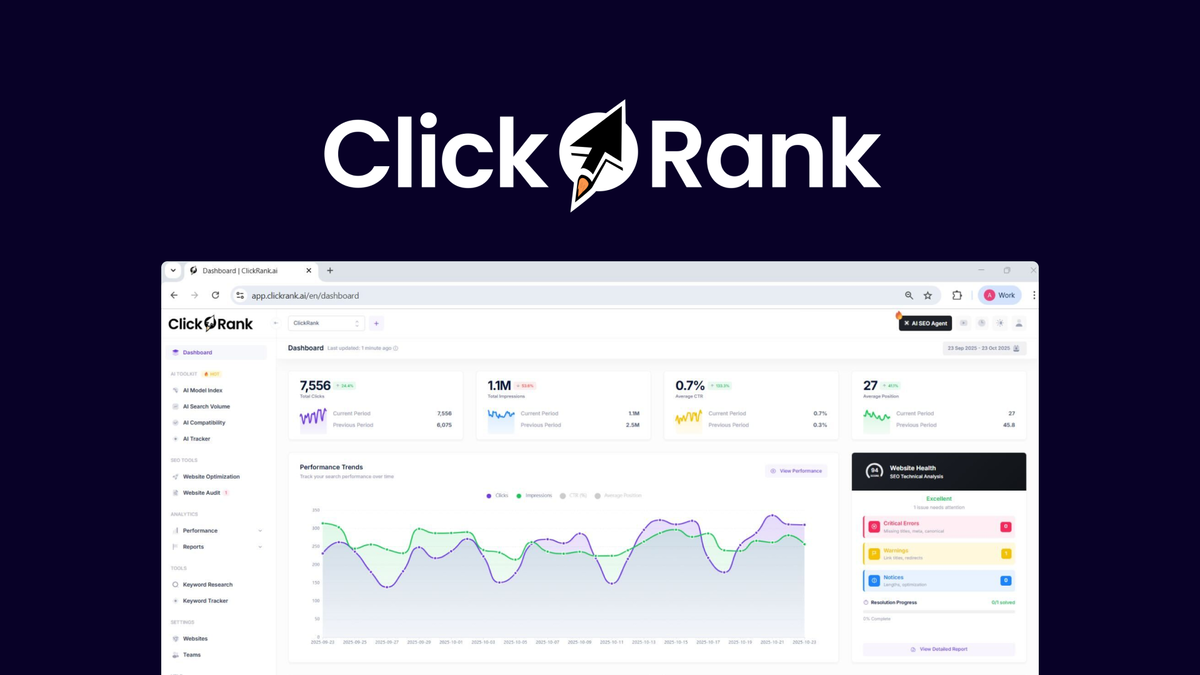
ClickRank helps find and fix broken links easily. It scans your site and shows you all the broken links in one place. You can then update or remove these links to keep your site healthy. This tool is designed to improve your site’s SEO by boosting crawl efficiency and preserving link authority. Fixing broken links with ClickRank keeps your website user-friendly and search engine friendly.
Key Features Of Clickrank For Fixing Broken Links
ClickRank finds broken links on your website automatically. It scans all pages and reports errors clearly. Fixing broken links is easier with its simple update tool. You can replace or edit links in just a few clicks.
The tool connects with popular SEO software for a full site check. This helps you see how broken links affect your rankings. Real-time alerts notify you as soon as new broken links appear. This keeps your site healthy and improves user experience.
Step-by-step Guide To Fix Broken Links Using Clickrank
ClickRank helps find broken links on your whole website fast. It scans every page and shows which links don’t work. This saves time and makes fixing easier.
Start by reviewing the list of broken links. Look at which ones are most important. Fix the links that affect user experience or SEO first. Prioritize links from popular pages or with many clicks.
To fix, either update the broken links with correct URLs or remove them if they are useless. Updating keeps visitors happy and helps search engines trust your site. Removing bad links cleans your site and avoids penalties.
After fixing, use ClickRank to check if all broken links are gone. Keep monitoring your site regularly. This helps keep your SEO strong and your visitors happy.
Pricing And Affordability Of Clickrank
ClickRank offers different subscription plans designed to fit various website sizes. Each plan includes features like broken link detection, content optimization for AI search engines, and regular updates.
Small websites benefit from affordable pricing and essential tools to fix broken links. Medium plans add more checks and data exports. Large website plans provide priority support and advanced features for extensive content management.
| Plan | Features | Best For | Price Range |
|---|---|---|---|
| Basic | Broken link checks, AI content tips | Small websites | $10 – $20/month |
| Pro | More link checks, data export | Medium websites | $30 – $50/month |
| Enterprise | Priority support, full features | Large websites | $75+/month |
The cost is balanced with the value of keeping links working and improving SEO. This saves money by avoiding ranking drops and fixing issues fast.
Pros And Cons Of Using Clickrank Based On User Experience
ClickRank offers several advantages that users appreciate. It saves time by quickly finding broken links across websites. The tool provides accurate results, helping users fix issues effectively. This accuracy improves SEO performance by ensuring all links work well, which helps search engines rank pages better.
On the other hand, some users mention a learning curve. It takes time to understand all the features and use them properly. Also, ClickRank has feature restrictions in its basic plans, limiting access to advanced tools. Users needing more options may find this frustrating.
Credit: www.clickrank.ai
Who Should Use Clickrank And When
ClickRank is best for website owners, SEO professionals, and agencies. These users need to keep their sites healthy and free from broken links. It helps maintain a strong user experience and improves search rankings.
It works well during regular maintenance to catch broken links early. Also useful for large site audits where many pages need checking at once. This tool saves time and effort by quickly finding and fixing problems.
Conclusion: Boosting Seo By Fixing Broken Links With Clickrank
ClickRank helps find and fix broken links fast. Broken links hurt SEO by causing bad user experience and lowering site ranking. Fixing these links keeps your website healthy and easy to navigate. It also helps search engines crawl your site better and index new content quickly.
With ClickRank, managing broken links becomes simpler. It shows which links are broken and lets you fix or remove them easily. This keeps your site updated and improves its trust with visitors and search engines alike.
For best results, regularly check your website for broken links. Use ClickRank to monitor and fix issues right away. Clean links help keep visitors engaged and improve your site’s position in search results.

Credit: www.clickrank.ai
Frequently Asked Questions
How Do I Fix A Broken Url Link?
Check the URL for typos or extra characters. Use tools like Ahrefs or Screaming Frog to find broken links. Update, replace, or remove invalid links promptly. Test links after fixing to ensure they work correctly. Regular maintenance improves SEO and user experience.
Do Broken Links Hurt Seo?
Yes, broken links hurt SEO by harming user experience, wasting crawl budget, and losing link equity. They lower site authority and rankings.
How Do I Fix Url Problems?
Fix URL problems by checking for broken links using tools like Ahrefs or Screaming Frog. Update, remove, or replace invalid URLs promptly. Ensure URLs have correct syntax and remove unnecessary characters. Regularly audit your site to maintain healthy links and improve SEO and user experience.
Why Do Hyperlinks Break?
Hyperlinks break due to URL changes, deleted pages, typos, server issues, or incorrect link formatting. Regularly checking prevents broken links.
Conclusion
Fixing broken links improves your site’s SEO and user experience. ClickRank helps find and fix these links quickly. This tool saves time and keeps your website updated. Regularly checking links prevents SEO damage and lost visitors. Maintaining healthy links builds trust with both users and search engines. Start improving your site’s performance today with ClickRank. Simple steps lead to better rankings and happier visitors. Don’t let broken links hold your site back.
